Many organizations running workloads in Kubernetes are embracing ArgoCD to deploy safely and ensure consistency and traceability.
Unfortunately there are not many guidelines or best practices yet explaining how to structure the GitOps repository for simplicity and maintainability.
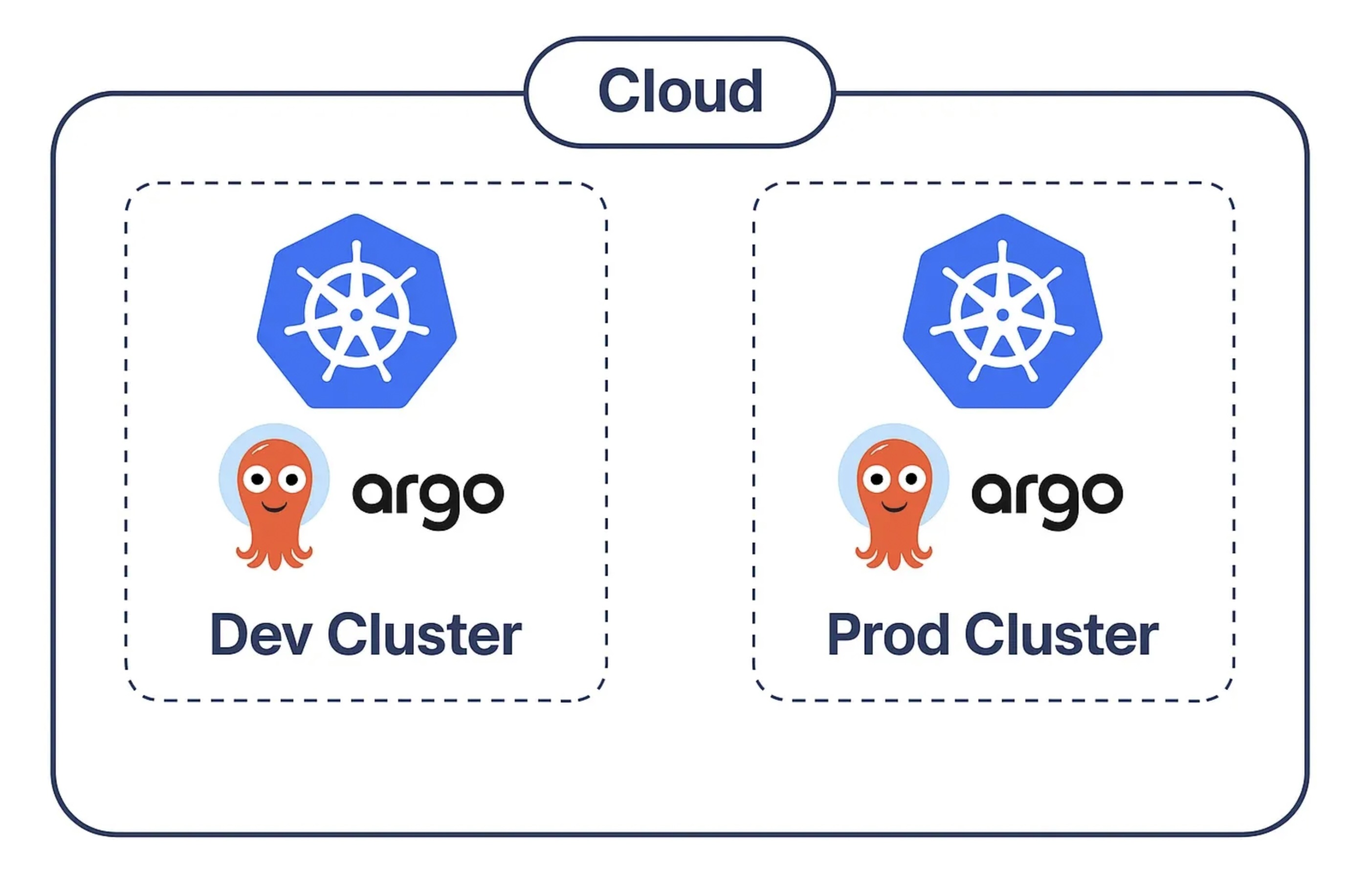
In this article I would like to show my solution with a setup consisting of multiple ArgoCD instances. Basically each Kubernetes cluster will have its own instance, which will manage all resources belonging to it. ArgoCD will be bootstrapped externally, for instance at cluster provisioning with Terraform.
The structure proposed allows a clear separation between applications, infrastructure and ArgoCD Apps and Projects. Moreover it supports multiple environments by leveraging Kustomize.
Source repo: https://github.com/paolocarta/gitops-argocd-repo-structure/tree/multiple-argocd-instances
Related article about running a single management instance → here.
Tech used:
- Kubernetes
- ArgoCD
- Kustomize
Architecture with multiple instances (one per cluster):
Structure
The main idea is to have one folder (apps) where we specify custom applications developed by our dev teams. Another folder (infrastructure) is where DevOps engineers will work, deploying infrastructure and middleware to our clusters. Finally, we need a folder (argocd) to instruct the different ArgoCD instances about what to deploy and where.
To recap, we have 3 main folders:
apps— Custom apps developed by dev teamsargocd— ArgoCD Application custom resourcesinfrastructure— All middleware deployed by Ops
High level structure:
➜  gitops-repo git:(main) tree
.
├── README.md
├── apps
│   ├── another-app/
│   └── flask-app/
├── argocd
│   ├── app-projects/
│   ├── applications
│   │   ├── dev
│   │   └── prod
│   └── bootstrap
│       ├── root-app-dev.yaml
│       └── root-app-prod.yaml
├── infrastructure
│   ├── databases
│   │   └── postgres/
│   └── message-brokers
│       └── rabbitmq/
└── tools/
The structure leverages Kustomize and its overlays for defining multiple environments and avoiding duplication.
Detailed structure:
➜  gitops-repo git:(multiple-argocd-instances) tree
.
├── apps
│   ├── another-app
│   │   ├── base
│   │   │   ├── deployment.yaml
│   │   │   ├── kustomization.yaml
│   │   │   └── service.yaml
│   │   └── overlays
│   │       ├── dev
│   │       │   └── kustomization.yaml
│   │       └── prod
│   │           └── kustomization.yaml
│   └── flask-app
│       ├── base
│       │   ├── deployment.yaml
│       │   ├── kustomization.yaml
│       │   └── service.yaml
│       └── overlays
│           ├── dev
│           │   └── kustomization.yaml
│           └── prod
│               └── kustomization.yaml
│
├── argocd
│   ├── app-projects
│   │   ├── apps.yaml
│   │   ├── databases.yaml
│   │   └── system.yaml
│   ├── applications
│   │   ├── dev
│   │   │   ├── apps
│   │   │   │   ├── another-app.yaml
│   │   │   │   └── flask-app.yaml
│   │   │   └── infrastructure
│   │   │       ├── postgres.yaml
│   │   │       └── rabbitmq.yaml
│   │   └── prod/
│   └── bootstrap
│       ├── root-app-dev.yaml
│       └── root-app-prod.yaml
│
├── infrastructure
│   ├── databases
│   │   └── postgres
│   │       ├── base
│   │       │   ├── kustomization.yaml
│   │       │   ├── service.yaml
│   │       │   └── statefulset.yaml
│   │       └── overlays
│   │           ├── dev
│   │           │   └── kustomization.yaml
│   │           └── prod
│   │               └── kustomization.yaml
│   └── message-brokers
│       └── rabbitmq
│           ├── base
│           │   ├── deployment.yaml
│           │   ├── kustomization.yaml
│           │   └── service.yaml
│           └── overlays
│               ├── dev
│               │   └── kustomization.yaml
│               └── prod
│                   └── kustomization.yaml
│
└── tools
    ├── generate-secrets.sh
    ├── validate-argocd.sh
    └── validate-kustomize.sh
Infrastructure Folder
This folder holds manifests for all infrastructure and middleware, for instance:
- Databases
- Message Brokers
- Caches
- Monitoring
- Logging
- Others
│
├── infrastructure
│   ├── databases
│   │   └── postgres
│   │       ├── base
│   │       │   ├── kustomization.yaml
│   │       │   ├── service.yaml
│   │       │   └── statefulset.yaml
│   │       └── overlays
│   │           ├── dev
│   │           │   └── kustomization.yaml
│   │           └── prod
│   │               └── kustomization.yaml
│   └── message-brokers
│       └── rabbitmq/
In the example we define a PostgreSQL Database and a RabbitMQ Broker. The middleware is deployed to a dev and prod environment. Each folder will be referenced by an ArgoCD Application. The ArgoCD Application will live in the specific cluster — for instance, the dev Application will only exist in the dev cluster.
Each infrastructure component is defined using Kustomize. A base layer holds common configuration. Each overlay can specify things which are environment specific.
Apps Folder
The apps folder represents custom applications developed by dev teams. Each application is a collection of classic Kubernetes manifests such as Deployments, Services, ConfigMaps and so on.
Each application leverages Kustomize with a base layer and overlays for each environment. An ArgoCD Application will reference each overlay.
In the example we define two apps:
- Flask Dummy App
- Another Dummy App
│
├── apps
│   ├── another-app
│   │   ├── base
│   │   └── overlays
│   └── flask-app
│       ├── base
│       │   ├── deployment.yaml
│       │   ├── kustomization.yaml
│       │   └── service.yaml
│       └── overlays
│           ├── dev
│           │   ├── deployment.yaml
│           │   └── kustomization.yaml
│           └── prod
│               ├── deployment.yaml
│               └── kustomization.yaml
ArgoCD Folder
This folder defines all ArgoCD Applications, divided by environment and AppProjects.
The first Application to bootstrap each cluster is the App of Apps: bootstrap/root-app-{{environment}}.yaml. This is the application at the root of the tree hierarchy — it points to all other Applications defined for that environment. If ArgoCD is installed using Terraform, this Application can be applied to bootstrap the entire system.
The applications folder is divided by environment first, then by category: normal apps and infrastructure apps. This allows separating ArgoCD Applications by cluster and by scope — those managing custom services and those managing infrastructure middleware.
├── argocd
│   ├── app-projects
│   │   ├── apps.yaml
│   │   ├── databases.yaml
│   │   └── system.yaml
│   ├── applications
│   │   ├── dev
│   │   │   ├── apps
│   │   │   │   ├── another-app.yaml
│   │   │   │   └── flask-app.yaml
│   │   │   └── infrastructure
│   │   │       ├── postgres.yaml
│   │   │       └── rabbitmq.yaml
│   │   └── prod
│   │       ├── apps
│   │       └── infrastructure
│   └── bootstrap
│       ├── root-app-dev.yaml
│       └── root-app-prod.yaml
Finally, the app-projects folder holds ArgoCD AppProjects, which are used to categorize and group applications while also defining allowed source repositories and destination clusters. This resource can be applied unchanged across the different environments.
Conclusions
A starting structure like this can be very beneficial for projects leveraging ArgoCD to deploy to Kubernetes. It allows you to clearly identify application manifests, infrastructure manifests, and ArgoCD configuration in terms of Applications and AppProjects.
Source repo: https://github.com/paolocarta/gitops-argocd-repo-structure/tree/multiple-argocd-instances
Related article about running a single management instance → here